What Is a Thermal Receipt Printer and How Does It Work?
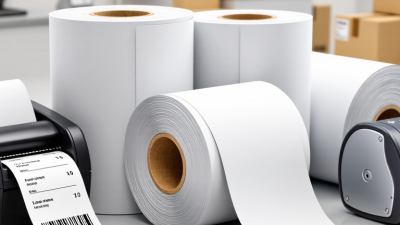
A Thermal Receipt printer is a familiar part of daily transactions, quietly producing the slip handed over at a café, shop, or service counter. Most receipt models use direct thermal printing. They do not need ink cartridges or ribbons. Instead, they apply controlled heat to special paper coated with a heat-sensitive layer.
Inside the printer, a printhead contains many tiny heating elements. As the paper moves beneath it, selected elements warm specific points. Those points darken, forming letters, prices, and barcodes. Feed rollers move the paper forward line by line, while the printer’s electronics translate digital information into a pattern of heated and unheated spots. The process is quick. It is also relatively quiet, which matters in busy checkout areas.
The design is simple, but not foolproof. A small limitation matters. Direct thermal receipts can fade after exposure to heat, sunlight, or friction, so storage conditions affect how long details remain readable. Paper quality and printer settings can also influence sharpness. In practice, a faint barcode may come from worn printhead elements, dirty components, or unsuitable paper—not just a faulty device. Understanding how a Thermal Receipt printer works helps businesses choose appropriate supplies, spot basic print problems, and set realistic expectations. The technology is efficient for short-term records, though it is not ideal when a printed document must remain legible for many years.
What a Thermal Receipt Printer Is
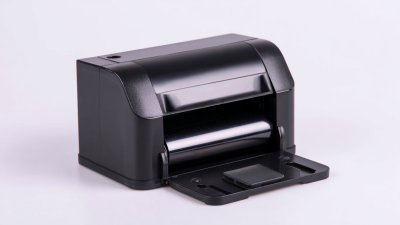
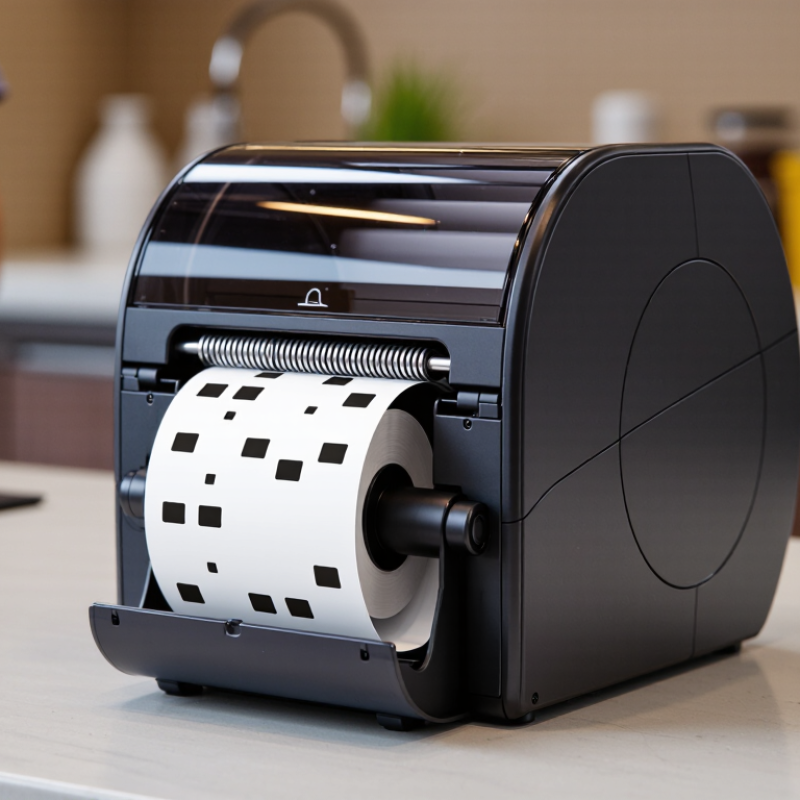
A thermal receipt printer is a compact device that prints text and simple graphics on heat-sensitive paper. It is common at checkout counters, cafés, and service desks, where receipts need to print quickly. No ink cartridges. Instead, a heated printhead presses against the paper as rollers move it through the printer. Small heating elements activate selected areas, turning them dark to form letters, numbers, and symbols.
The printer’s job is straightforward: translate digital sales details into a narrow paper record. A receipt might show an item name, price, time, and payment total. The machine receives this information from a checkout system, then prints it line by line. That simplicity can be useful during a busy shift. Still, “maintenance-free” would be an overstatement. Paper dust can collect inside, and worn rollers may cause uneven printing. The paper itself also matters: heat or prolonged sunlight can make printed details fade. So a thermal receipt printer is not just a small printer without ink; it depends on compatible paper, a clean feed path, and a working thermal head.
The Main Components of a Thermal Receipt Printer
A thermal receipt printer is built around a small set of parts that work closely together. The thermal print head contains tiny heating elements arranged in a line. As paper passes beneath it, selected elements heat the paper’s coating and form text or images. No ink ribbon is needed. The platen roller presses the paper evenly against the head and moves it through the printer. If this pressure becomes uneven, print may look pale or broken.
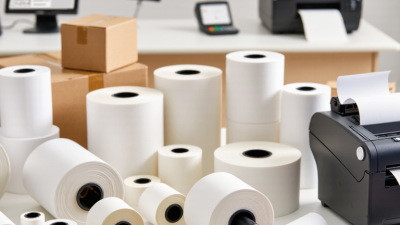
The paper roll and feed path matter too. A guide keeps the roll aligned, while a cutter, if fitted, separates the receipt after printing. Small parts matter. A control board receives print data, manages the heating pattern, and controls paper movement. Sensors can detect an open cover, a nearly empty roll, or a jam, though their accuracy depends on design and maintenance. Ports connect the printer to a checkout system or other device, and the casing protects internal components from dust and routine handling. In daily use, residue on the print head can reduce clarity. Cleaning it gently with a suitable method helps, but the correct procedure varies by printer. It is easy to focus only on print speed; paper alignment and head condition deserve attention as well.
How Heat Creates Text and Images on Receipt Paper
A thermal receipt printer creates an image through controlled heat, not ink. Inside the printhead, tiny resistive elements warm selected points on heat-sensitive paper. The paper’s coating contains chemicals that react and darken when heated, forming letters, numbers, and graphics. No ribbon is needed. Just heat and paper.
The printhead works dot by dot. Common industrial printhead specifications list 203 dpi, roughly 8 dots per millimeter. At that resolution, a narrow line is built from many tiny marks. The printer’s controller decides which elements heat up and for how long; the paper moves beneath them in small, steady steps. You can sometimes hear this as a soft mechanical buzz. A smudged or faint receipt may result from worn printhead elements, unsuitable paper, or incorrect heat settings—not simply “bad printing.” I used to think the paper itself held the text like a stamp. It doesn’t; the visible image forms during printing, and can fade with prolonged heat, light, or friction.
What Is a Thermal Receipt Printer and How Does It Work? — How Heat Creates Text and Images on Receipt Paper
| Dimension |
How It Works |
What It Means for a Receipt |
| Printing method |
A direct thermal printer uses a heated printhead to create marks on specially coated thermal paper. It does not need ink or toner. |
Text and graphics appear directly on the paper as it passes the printhead. |
| Thermal paper |
The paper has a heat-sensitive coating that changes color when exposed to heat. Many common thermal papers produce a dark image. |
Ordinary uncoated paper will not produce the same image in a direct thermal printer. |
| Printhead |
The printhead contains many small heating elements arranged across the paper width. The printer controls these elements individually. |
Different combinations of heated dots form letters, numbers, barcodes, and simple graphics. |
| Image formation |
When selected heating elements touch the thermal coating, localized heat triggers a chemical reaction that darkens those areas. |
The printed image is made of dots, so finer dot spacing can support more detailed output. |
| Paper movement |
A motor and feed mechanism move the paper past the printhead in controlled increments while the printer heats the required dots. |
Coordinated heating and paper movement build the receipt line by line. |
| Resolution |
Thermal receipt printers commonly use resolutions such as 203 dots per inch (about 8 dots per millimeter); some models use higher resolutions. |
Resolution affects the sharpness of small text and detailed graphics. |
| Typical uses |
Direct thermal printing is widely used for point-of-sale receipts, queue tickets, and other short-term printed records. |
It is well suited to fast, frequent printing where a simple, low-maintenance process is useful. |
| Image durability |
Thermal images can fade or darken when exposed to heat, sunlight, friction, or certain chemicals, depending on the paper and storage conditions. |
For longer-lasting records, receipts should be kept away from heat and direct sunlight; requirements may call for a different printing method. |
| Direct thermal vs. thermal transfer |
Direct thermal printing applies heat to coated paper. Thermal transfer printing uses heat to transfer ink from a ribbon onto a label or other material. |
Most basic receipt printing uses direct thermal paper, while thermal transfer is commonly used when durable labels are needed. |
Direct Thermal and Thermal Transfer Printing Methods
A thermal receipt printer creates text and images by applying heat, rather than spraying liquid ink onto paper. Its heated printhead contains tiny elements that switch on and off as the paper moves past. The two main methods are direct thermal and thermal transfer. They use heat differently, so the right choice depends on the surface, expected lifespan, and working conditions.
In direct thermal printing, the printhead heats specially coated paper, causing selected areas to darken. The mechanism is simple: there is no ink cartridge or ribbon to replace. A cashier may hear the paper feed and see a receipt appear within seconds. But heat, sunlight, and friction can fade the print over time. A receipt left on a warm dashboard may become difficult to read. That trade-off is easy to underestimate.
Thermal transfer printing heats a ribbon and moves its ink onto paper or another compatible material. The method can produce durable text and is often used for product or shipping labels that need to remain legible longer. It requires both a ribbon and a suitable printing surface, so setup involves more parts. The result depends on matching them well. In practice, I would not assume that one method is universally better; storage conditions and how long the print must last matter just as much.
Common Uses and Key Limitations of Thermal Receipt Printers
A thermal receipt printer creates text and simple graphics by heating selected points on heat-sensitive paper. Its printhead does not need ink or a ribbon, so receipts can emerge quickly with few consumables to replace. The mechanism is compact. In daily use, that can mean fewer interruptions at a busy checkout.
These printers are common in grocery stores, cafés, parking kiosks, and service counters. A cashier can print an itemized slip while a queue moves forward; a café may attach a short order ticket near the kitchen. Their quiet operation and small footprint suit tight counters. Some portable models also print transaction records away from a fixed till.
There are trade-offs. Heat-sensitive paper can darken or fade after exposure to sunlight, warm surfaces, or friction, so it may not suit records that must remain readable for years. Most units print in monochrome, limiting color cues and detailed images. They also require compatible thermal paper; ordinary copy paper will not work. Keep the printer’s printhead clean, since residue can cause faint lines or gaps. Storing a digital copy helps, though it adds a small workflow step. That compromise is easy to overlook.