How to Choose the Best Thermal Receipt Printer in 2026?
In a fast-paced retail environment, choosing the right thermal receipt printer is crucial. By 2026, advancements in technology will continue to enhance the performance of these devices. Thermal receipt printers offer efficient and high-quality receipts, making them vital for businesses.
Understanding what features make a thermal receipt printer stand out can be overwhelming. Factors like speed, connectivity, and durability should take center stage in your decision. Many printers claim to be the best, but how do you distinguish between them? This guide will help you navigate through various options, keeping essential attributes in mind.
Consumer reviews can sometimes be misleading. Building a reliable assessment requires careful evaluation. Consider your actual needs instead of just the latest trends. After all, the best printer for one business may not meet another's needs. A thorough understanding of thermal receipt technology will empower you to make an informed choice. Be prepared to question your assumptions and re-evaluate your priorities.
Key Features to Consider in a Thermal Receipt Printer
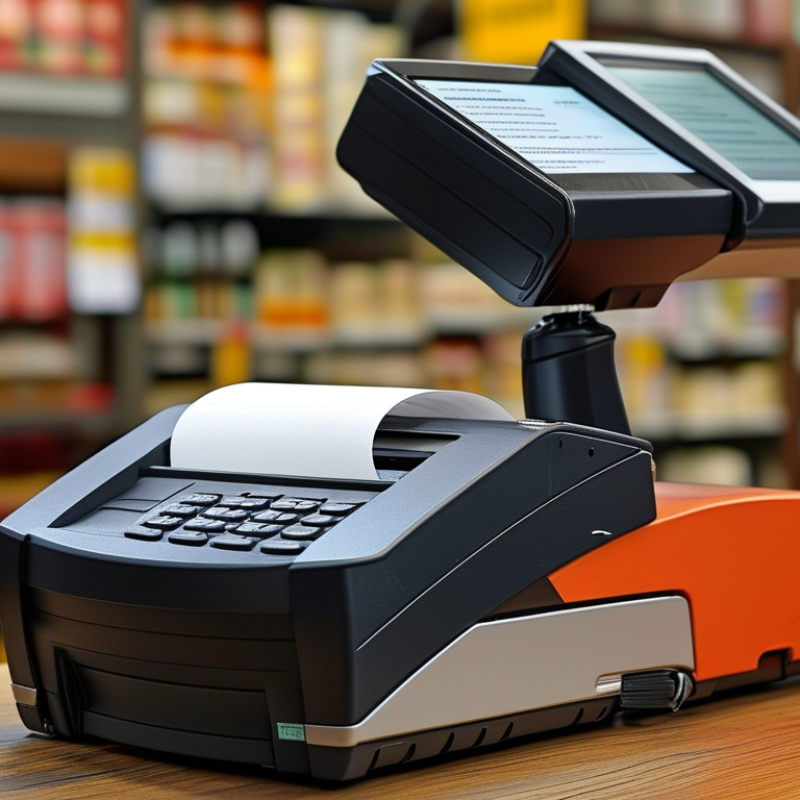
When selecting a thermal receipt printer, several key features play a crucial role. The printing speed is vital; faster printers reduce customer wait times. A speed of 250 mm per second is generally efficient for busy businesses. Next, consider print resolution. A 203 dpi resolution ensures clear text and crisp graphics, which enhance customer satisfaction.
Connectivity options are significant as well. Look for printers that offer USB, Bluetooth, or network capabilities. This flexibility allows integration with various devices, making operations smoother. Reliability of the printer is essential. Check the duty cycle and ensure it meets your business's demand. A printer that frequently breaks down can lead to frustration and lost sales.
Another point to ponder is ease of use and maintenance. User-friendly interfaces and simple access to media loading are often overlooked, but they save time and effort. Lastly, think about the size and design. A compact printer can save valuable counter space, but ensure it remains sturdy. Balancing these features is tricky, but essential for a successful choice.
Comparison of Key Features in Thermal Receipt Printers (2026)
Understanding Different Types of Thermal Receipt Printers
When selecting a thermal receipt printer, understanding the various types available is crucial.
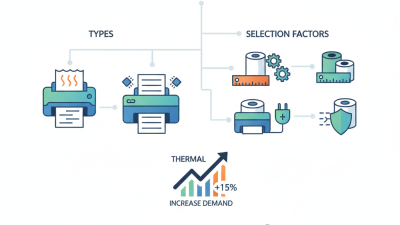
There are two main categories: direct thermal and thermal transfer.
Direct thermal printers use heat-sensitive paper and are ideal for short-term use.
They are simple and low-maintenance, but the prints can fade over time.
If your receipts must last longer or withstand handling, consider thermal transfer printers.
They utilize ribbons to produce high-quality, durable outputs.
Not all printers are created equal. Each model may vary in features such as print speed, connectivity options,
and compatibility with different operating systems. Some printers offer Bluetooth connectivity, allowing
for wireless printing, while others may have USB or Ethernet ports. Your budget and specific needs will
influence the best choice.
It's vital to research the specs thoroughly. Read user reviews and consider the printer's size and footprint,
especially in small retail spaces. A compact model might seem advantageous, but this can impact performance
and usability. Taking the time to reflect on these aspects can lead to a more informed decision.
Don't rush the selection; a careful evaluation can save you from future inconveniences.
Assessing Print Quality and Speed for Your Business Needs
When evaluating thermal receipt printers, print quality should be a top priority. Clear, readable prints can make a significant impact on customer satisfaction. Blurry text or faded images can lead to confusion. Look for printers that provide crisp black text and vibrant barcodes. It's essential to test samples before purchasing to ensure they meet your standards.
Speed is another crucial factor to consider. A slow printer can frustrate both staff and customers. Assess how many receipts a printer can produce per minute. If the volume of transactions is high, consider models with faster output. It's wise to analyze peak business hours to understand your requirements better.
Balancing print quality and speed can be tricky. Some printers might excel in one area but fall short in the other. Think about your business's specific needs and how these aspects align. It may also be necessary to seek feedback from your team on usability. Careful evaluation can prevent future inconveniences and resonates with efficient operations.
Evaluating Connectivity Options and Compatibility
When selecting a thermal receipt printer in 2026, understanding connectivity options and compatibility is essential. Many retail environments now require versatile connectivity to adapt to various systems. According to a recent industry report, 70% of businesses prefer printers that offer USB, Bluetooth, and Wi-Fi options. This diversity in connectivity ensures that the printers can seamlessly integrate with existing Point of Sale (POS) systems.
Compatibility also plays a crucial role in the decision-making process. Research indicates that 65% of small businesses face compatibility issues with their printers. It’s vital to consider whether the printer supports the operating systems and software applications in use. Additionally, many retailers need to ensure that their devices can handle multiple interfaces simultaneously. It's essential to reflect on your specific needs. Not all printers support the same platforms, which can lead to frustrating experiences if not researched thoroughly.
The balance between connectivity versatility and compatibility with existing systems is not always straightforward. Some printers may excel in one area but fall short in another. Businesses must assess their priorities, weighing the benefits of advanced connectivity against easy integration with current technologies. This thoughtful approach can lead to more informed purchasing decisions, reducing future headaches.
Budgeting: Finding the Right Balance Between Cost and Features
When budgeting for a thermal receipt printer, it’s essential to balance cost and features. Many printers come with various functionalities. Determine what you need. Do you require wireless connectivity or just basic printing? Prioritize essential features to avoid overspending.
Consider the long-term cost. Some lower-priced models may require costly supplies or frequent maintenance. A more expensive model could save money over time with reliable performance. Research user reviews to identify common issues. Unexpected expenses can erode your budget quickly.
Evaluate your usage. If you print frequently, investing in durability is crucial. Look for models that can handle volume without compromising quality. Think about the design and space in your business environment. An oversized printer may hinder workflow. Find one that fits seamlessly into your setup while meeting your operational demands.
How to Choose the Best Thermal Receipt Printer in 2026? - Budgeting: Finding the Right Balance Between Cost and Features
| Model |
Price ($) |
Print Speed (mm/sec) |
Features |
Connectivity |
| Model A |
120 |
200 |
Compact Design, Low Noise |
USB, Bluetooth |
| Model B |
150 |
250 |
High Durability, Fast Printing |
USB, Ethernet, Wi-Fi |
| Model C |
100 |
150 |
Energy Efficient, Easy Setup |
USB |
| Model D |
180 |
300 |
Multi-Functional, Portable |
Bluetooth, Wi-Fi |
| Model E |
130 |
220 |
Compact, User Friendly |
USB, Ethernet |